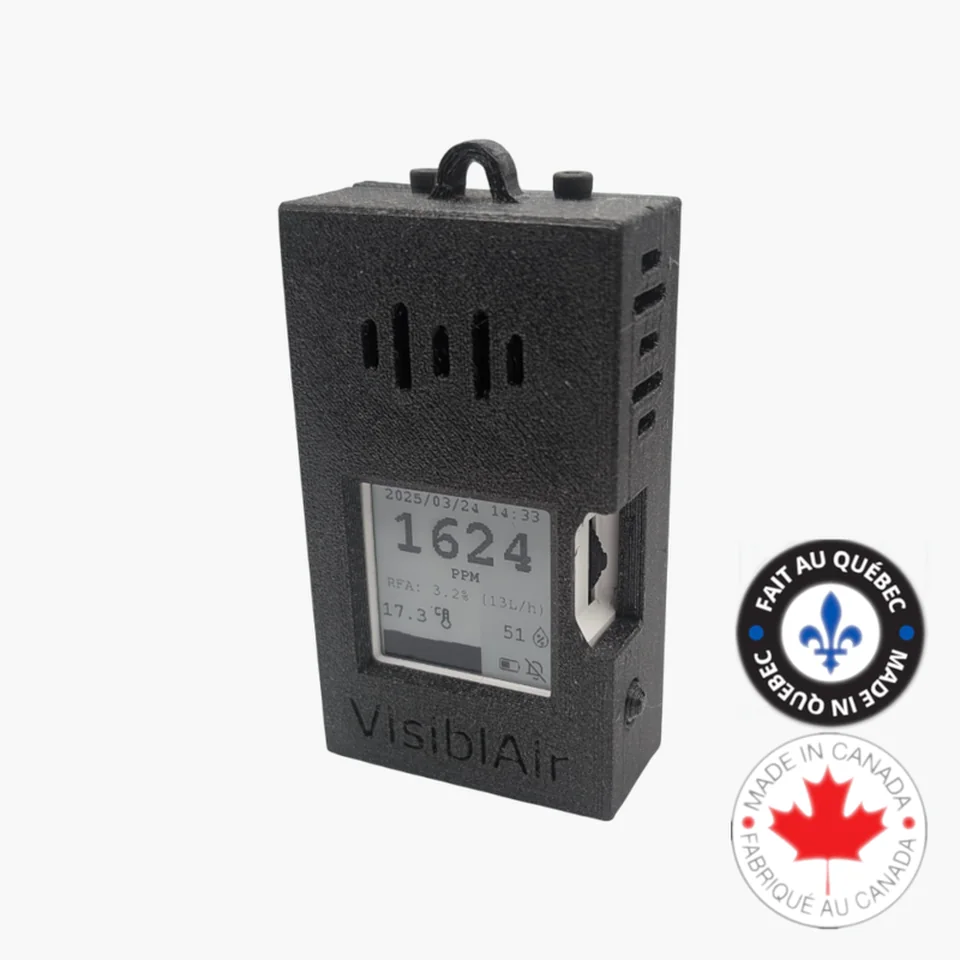
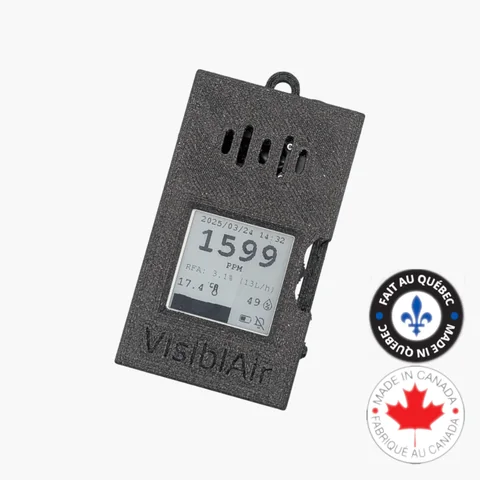
Model D Battery CO2 Monitor
Battery-powered CO2 monitor with local data logging for classrooms, inspections, offices, and indoor air quality spot checks.
Discover the Power of Intelligent Air Monitoring with VisiblAir Model D
Take your air quality monitoring to the next level with the VisiblAir Model D. This versatile sensor does more than track CO2 levels, temperature, and humidity—it empowers you with the ability to easily view, download, and analyze your data.
With up to 30 days of data history at a default sampling interval of 15 minutes, you'll have a comprehensive overview of your indoor environment. Want more granular data? Customize the sampling rate down to as little as 30 seconds for unparalleled insights.
Whether you're a data enthusiast or simply looking to improve your surroundings, the Model D delivers reliable, actionable information with no cloud dependency. Experience effortless monitoring in a sleek, intuitive device.
$199.00 CAD
Ready to order
- Availability: Orders ship within 3–5 business days following receipt of the order.
- Shipping: Ships worldwide from Canada; cost is calculated at checkout. Duties and import taxes are the buyer's responsibility.
- Warranty and returns: 12-month warranty. Return and refund requests may be made within 30 days of payment, subject to the return conditions.
- Cloud: No cloud account or ongoing cloud fee; data is stored on the device and exported as CSV.
- Power: Integrated battery with USB-C charging. Regional charger options or no charger are available.
School, office, or multiple units? Request a quote.
Specifications
- CO₂ Sensor:Sensirion SCD30 - Dual Beam NDIR (Non-Dispersive Infrared)
- CO₂ Range: 0 - 10000 ppm
- CO₂ Accuracy: ±(30 ppm + 3% of reading), 400–10,000 ppm
- Sensor guide: See how the SCD30's dual-beam NDIR design, accuracy formula, calibration, and placement factors compare.
- Temperature Range: -40°C - 70°C
- Temperature Accuracy: ±(0.4°C + 0.023 x (T[°C] - 25°C))
- Humidity Range: 0% - 100% RH
- Humidity Accuracy: ±3% RH
- Power: USB-C (5V)
- Data Storage: Local storage on-device with CSV export
- Dimensions: 84mm x 49mm x 23mm
- Warranty: 1 year
Documents
Latest Model D Firmware
v1.10.0 · Released February 4, 2026 · 1,053,168 bytes (1.00 MiB)
SHA-256: adba8a2d564b63830c42a1e56a1bc91783595bfb99f865e64a7a2bfff55d68b6
Make sure this Model D firmware matches your device. See the release notes and verify the checksum before installing.
Quick Setup Guide
Download the quick setup guide for your Model D sensor.
Download Model D Quick Setup Guide (PDF)Firmware Changelog
Review firmware releases, fixes, and improvements for Model D.
Manually Upgrade Model D Firmware
Model D creates a temporary local Wi-Fi network and update page. The firmware file travels directly from your browser to the sensor; the VisiblAir Cloud Portal and an internet connection are not used.
Before you start
- Download
visiblair-model-d-firmware-v1.10.0.binwhile you still have internet access. Compare its SHA-256 with the value above (for example, runsha256sum filename.binon Linux). Stop if it does not match. - Use a computer, phone, or tablet with Wi-Fi and a current web browser. No flashing application or USB driver is required.
- Connect Model D to a reliable USB-C power supply. A charge-only cable is sufficient because the update uses Wi-Fi.
- Export any readings you need before updating: from the main screen, push the side control up, choose wireless transfer, join Capteur CO2 Sensor, and save the data shown at
http://192.168.4.1/data.
The local updater replaces only the application image and is designed to preserve settings and locally logged CSV data. Back up readings first nevertheless. Do not select Erase data; a support-assisted full recovery flash may erase settings and readings.
Install v1.10.0
- From the main screen, press the Model D side control to open the menu. Move it up or down to Firmware update, then press it to select.
- On your computer, phone, or tablet, join the Wi-Fi network Capteur CO2 Sensor. A “no internet” warning is expected; remain connected.
- Open
http://192.168.4.1/updatein a browser. If the page does not open, turn off mobile data or VPN temporarily and enter the address again. - Select the downloaded Model D v1.10.0
.binfile and start the update. - Keep the device powered and do not close the page, press buttons, or interrupt Wi-Fi while flashing. Wait for completion and for Model D to restart.
Verify or recover
After restart, press the side control, open Information, and confirm that the firmware shown is v1.10.0. Check that your settings are still correct and that saved readings remain available.
If an upload fails but the sensor still starts, reconnect reliable USB-C power, enter Firmware update again, and retry with the verified Model D file. If the sensor no longer starts or cannot expose its update page, do not erase it or install another model's image. Contact info@visiblair.com with the model, hardware revision if known, previous version, and what appears on screen.
CO2 Calibration Guide
See when to check calibration and what outdoor ppm range indicates the sensor is still on target.
Read the GuideCompare with Other Models
Compare Model D with portable, Wi-Fi, PoE, and outdoor VisiblAir air quality monitors.
Compare ModelsNeed Connected Monitoring?
If you want Wi-Fi sync and added PM / VOC sensing, see the connected Model E-Lite.
View Model E-LiteCustomer Reviews
"Easy to use, informative, and thoughtfully accompanied by clear instructions on how to recalibrate in the future as needed. The monochrome, minimalist design is also a huge plus. Thank you!"